Quick Troubleshooting Tips
If you run into common startup or connectivity issues, try the following quick fixes.
Magni 6 Mini
On/off switch is not working
The issue may be caused by an intermittent internal hardware contact. Try pressing the switch firmly, or give the switch area a light tap.
General
Motors/robot is not moving
If the robot’s wheels do not lock automatically, manually lock them by pressing the button on the Motor Control Board (MCB). It’s the button closest to the wire connector.

If the wheels are locked but the robot still does not respond, restart the MCB by pressing the middle button.
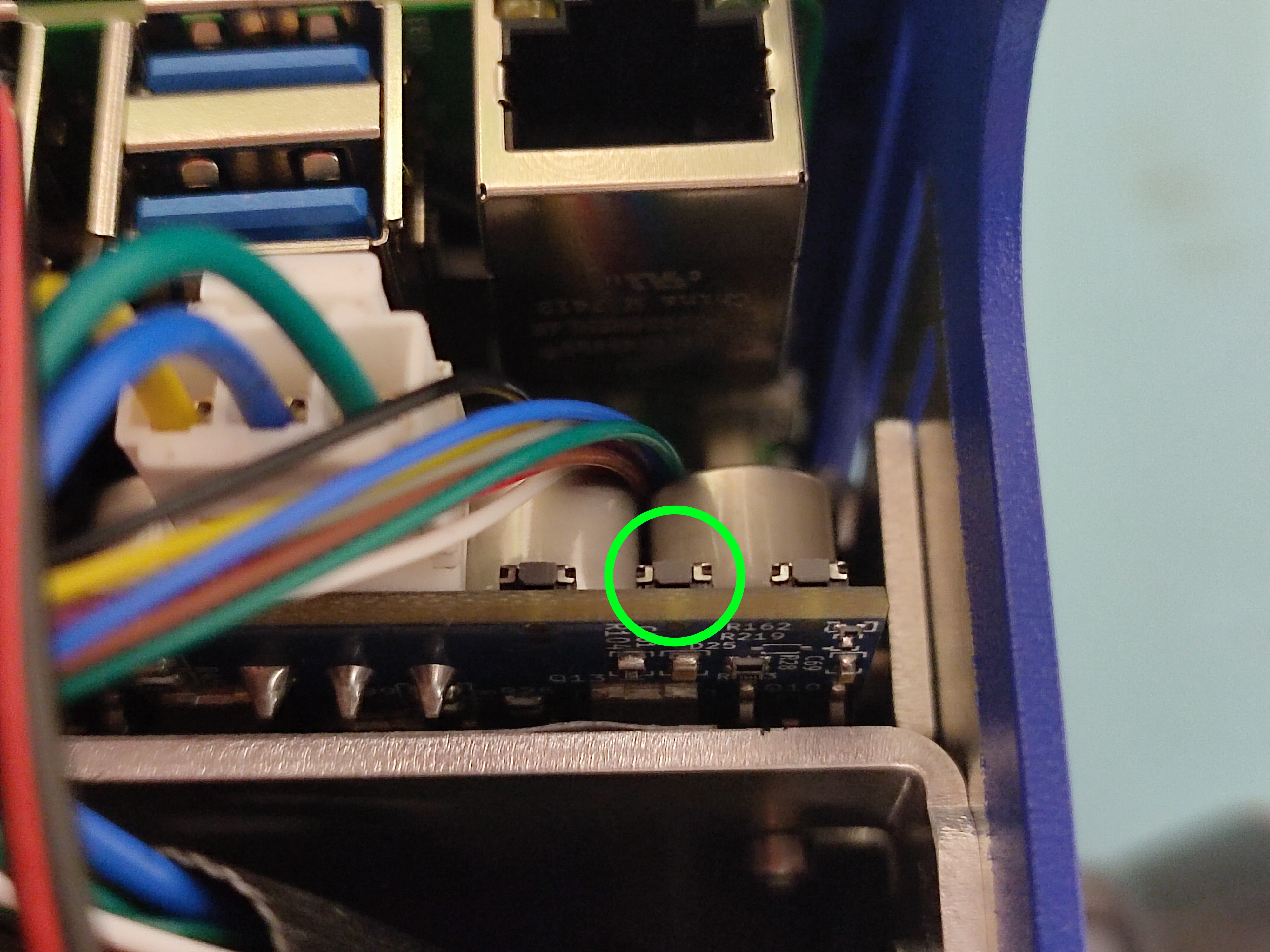
After that, make sure wheels are locked again, and try driving the robot. If that does not work, restart the robot and try again.
Robot cannot find the local network
First, list nearby Wi-Fi networks from the robot:
nmcli device wifi list
If your local Wi-Fi (SSID) does not appear in the list, restart the robot and try connecting again.